Flowback
|
#System design
Why does getting back to work feel so hard after an interruption?
Duration
8 Weeks
Theme
Context Recovery, Task Resumption
Role
UX/UI Design, User Research, Prototyping, Usability Test
Tools
Figma, Figjam, Figma Make, Stitch
PROJECT OVERVIEW
In modern workplaces, meetings, messages, and notifications often interrupt people’s workflow. The real difficulty is not the interruption itself, but returning to work afterward. Recovering context can create cognitive fatigue and emotional pressure, yet most productivity tools still focus on task management only rather than re-entry. FLOWBACK is designed to help users restart work more naturally after interruptions.
SOLUTION PREVIEW
Helping users recover context and return to work after interruptions
(Leveraging AI-driven Prompt Engineering for intelligent work resumption)
After short interruption
A lightweight cue for returning to the last active point
After a brief interruption, users may still remember the task but lose the exact point where they stopped. Flowback reduces this re-orientation effort by softly highlighting the last active area, helping users return without extra steps.
After long interruption
A deeper recovery flow for rebuilding work context
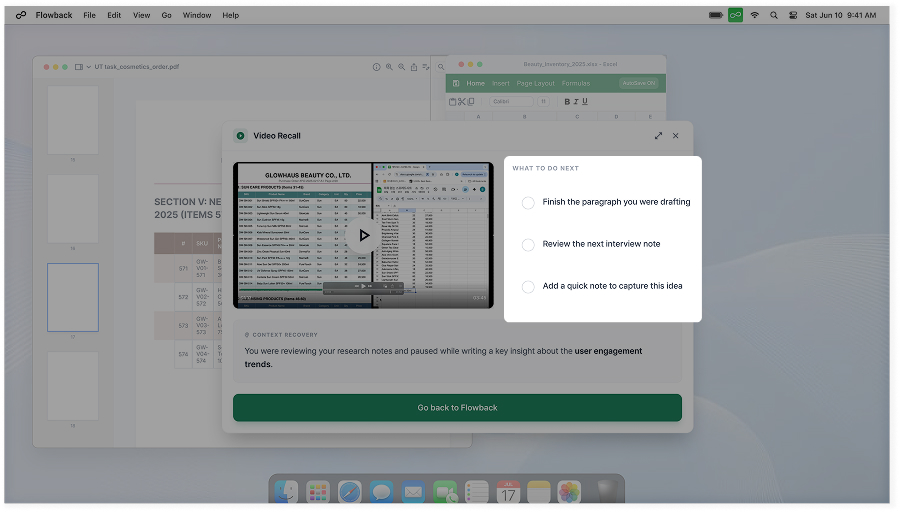
After a long interruption, users often need more than a small visual cue. Flowback provides recent work highlights and a short video snapshot, helping users understand what they were working on, where they left off, and how to continue.
Insights
Supporting recovery through work pattern insights
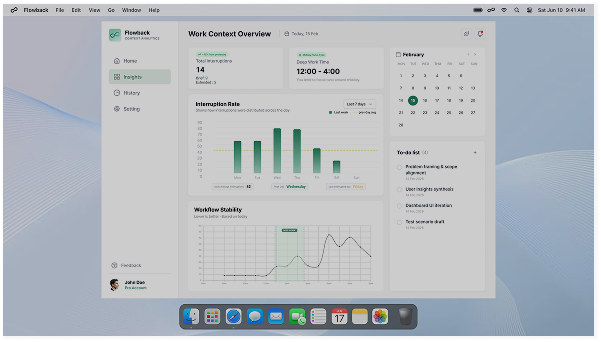
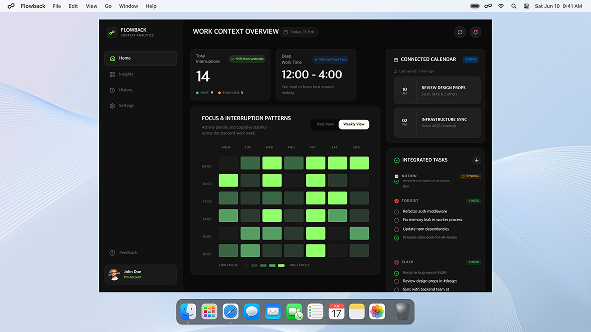
Flowback shows when users were interrupted most or least, how their work rhythm changes throughout the day, and what type of working pattern they have. The side to-do list can sync with tasks, giving users a simple cue to remember unfinished work after an interruption.
Onboarding
Giving users control before recovery support begins
Onboarding lets users define how Flowback should detect interruptions and capture work context. They can set idle time, select recording areas, and exclude specific apps, making the support feel personalised, transparent, and safe.
LITERATURE REVIEW
The problem with work environments that constantly force task switching
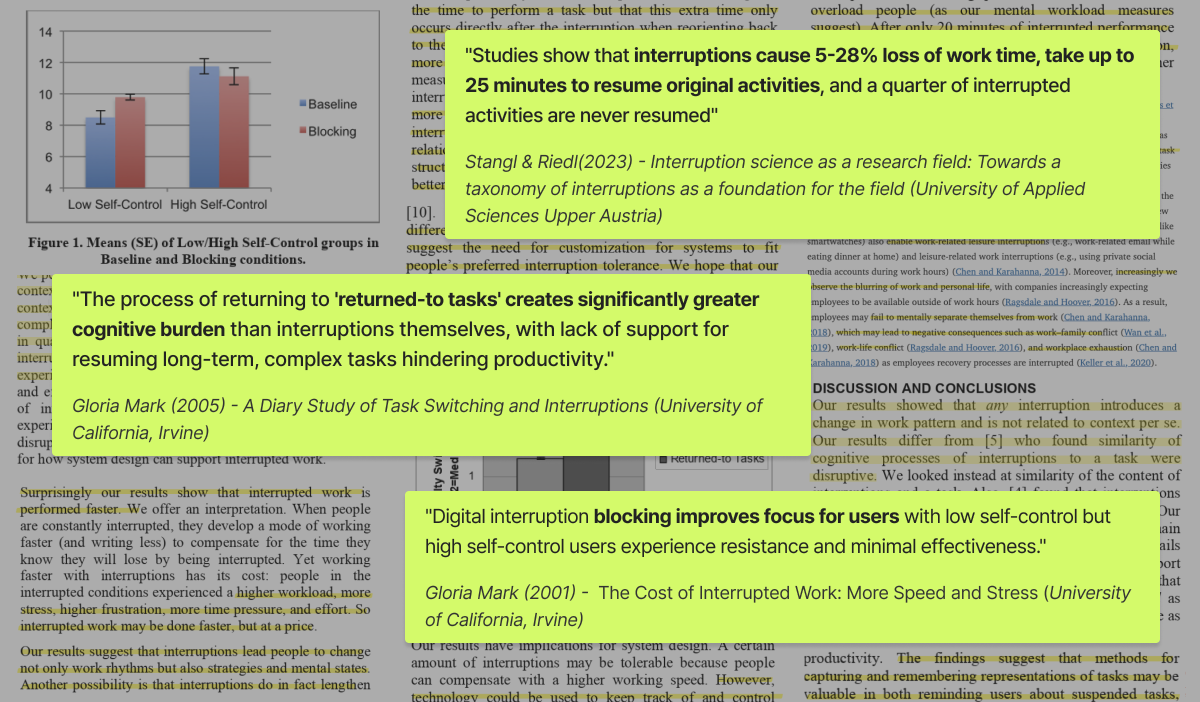
I reviewed 7 articles on interruption and resumption. Found that the main burden comes from restarting work, not from the interruption itself, and that support should adapt to different users.
Insight from Literature review
01.
Interruptions lead to real work-time loss.
02.
Interrupted work is not quickly resumed, and some tasks are never resumed.
03.
The bigger burden comes from returning, not from the interruption itself.
04.
Interruption-blocking does not work the same way for everyone.
1:1 IN-DEPTH INTERVIEW
How real users experience interruptions and return to work?
We conducted 1:1 in-depth interviews with 5 users. Since interruption patterns and return-to-work experiences can vary by job, we selected users who frequently switch tasks and included people from different job backgrounds to better understand a wide range of real work contexts.
Participant Demographics
Interview Questions • Information Sheet
Insight from User Interview
01.
The hard part is not stopping, but getting back to work.
Users felt most burdened by having to reconstruct context and decide where to restart.
02.
When the interruption happens changes how hard the return feels.
Interruptions during early or deep-focus stages felt more stressful and made returning harder.
03.
Interruptions reset priorities.
External interruptions force users to reset priorities, which makes returning to the original task harder.
THEMATIC ANALYSIS
Cross-Validated Patterns from User Interviews
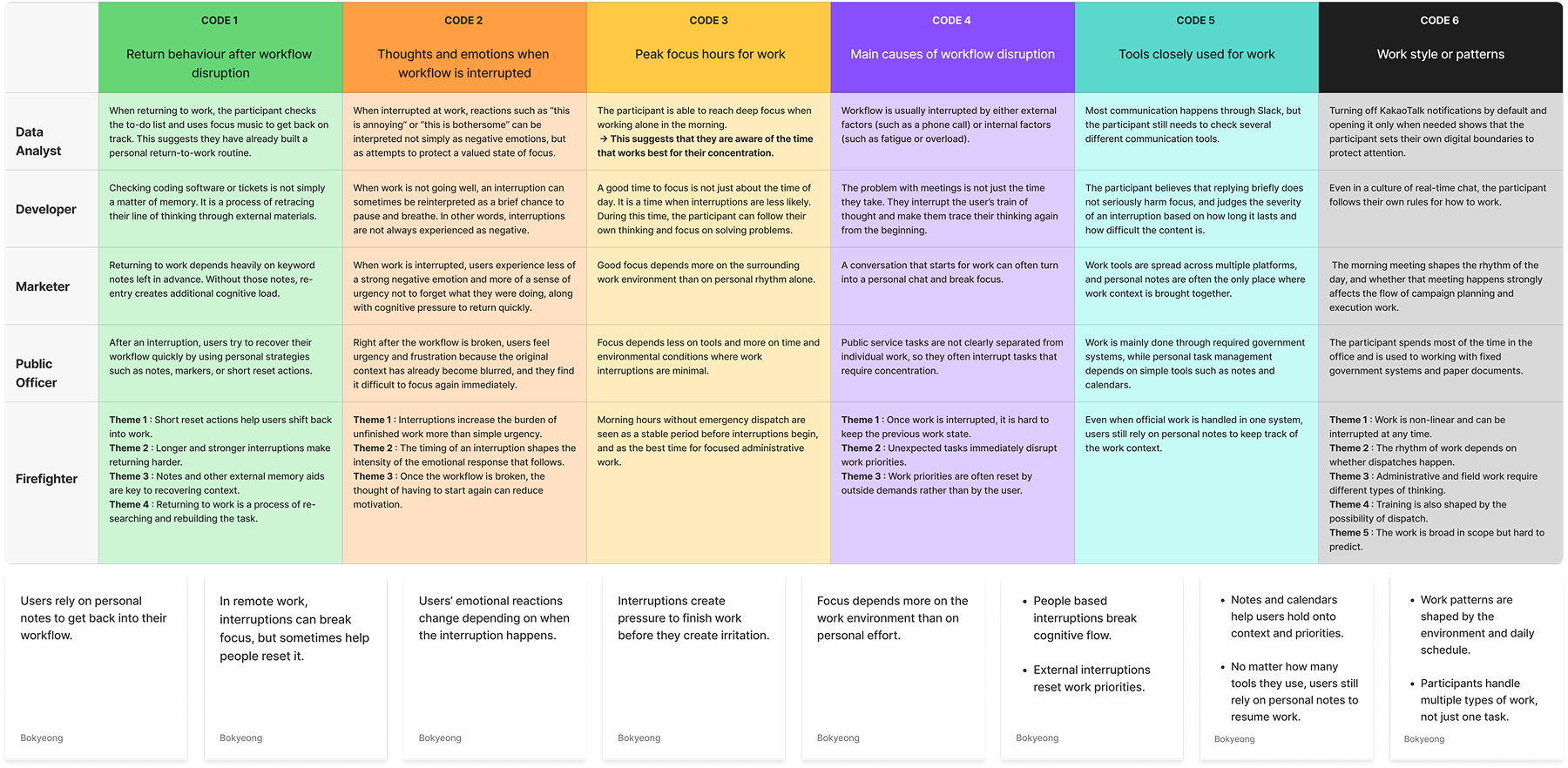
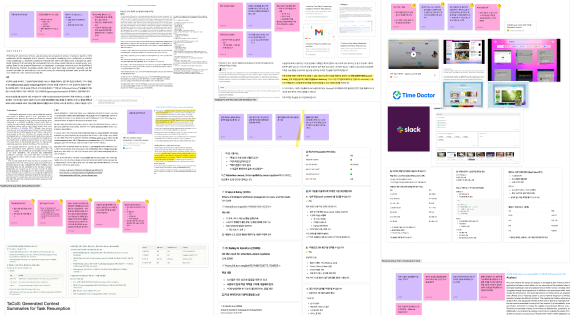
To find common patterns across participants from different jobs and work environments, we colour-coded the interview data and conducted Thematic Analysis. Through this process, we identified 6 codes and 8 themes, and cross-checked them with the literature research to confirm that the users’ real work contexts and key pain points were aligned.
Key Themes We Scoped
01.
User’s emotional reactions change depending on when the interruption happens.
02.
People based interruptions break cognitive flow.
03.
External interruptions reset work priorities.
COMPETITIVE ANALYSIS
Market Limitation from a Re-entry Experience Perspective
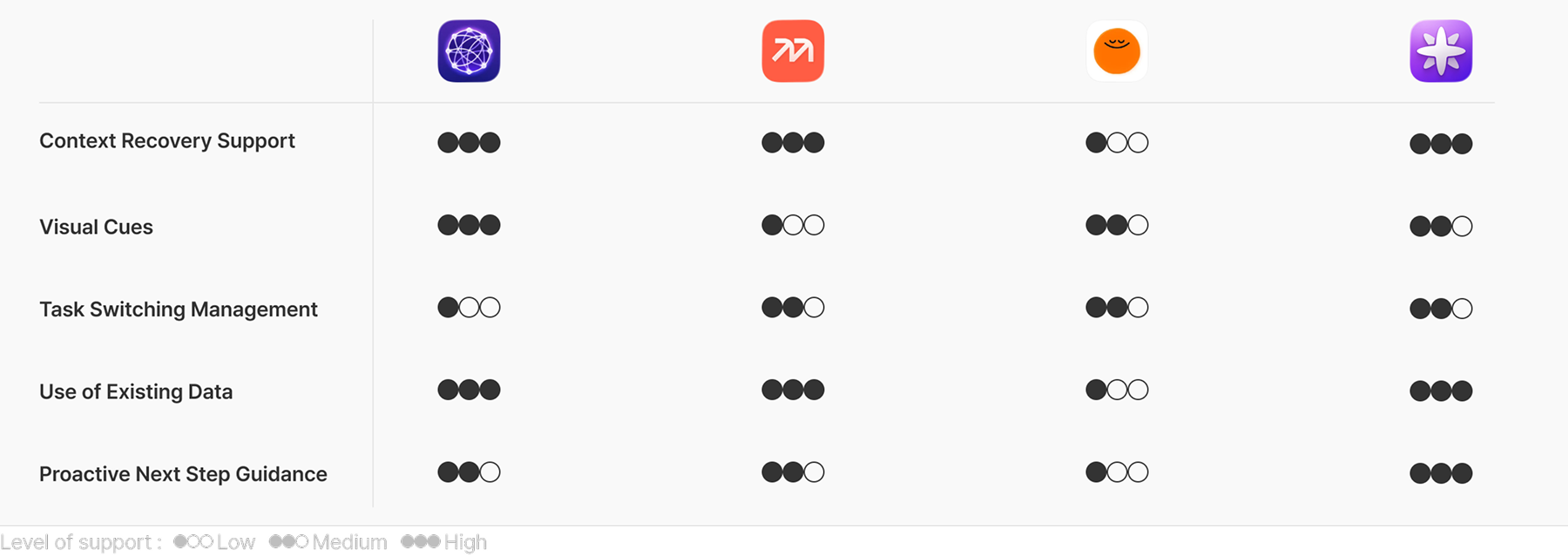
Since no existing product directly supports work re-entry, I reviewed four adjacent services: Reflect, Mem AI, Headspace, and Limitless. While they support recall, AI organisation, or emotional relief, none of them fully help users return to work after an interruption.
What Existing Tools Still Miss
01.
Existing tools recover records, but not re-entry.

They bring back saved notes and conversations, but stop short of guiding where to restart.
02.
AI organises information, but does not guide immediate restart.
It helps structure records into key points, but offers limited support for getting back to work right away.
03.
Emotional relief helps users calm down, but not resume context.
It supports emotional reset, but does not restore task context or next-step clarity.
PROBLEM STATEMENT
After a long interruption, users struggle to recover their previous work context and decide how to restart their work.
PERSONA & USER JOURNEY MAP
The Challenge of Re-entry
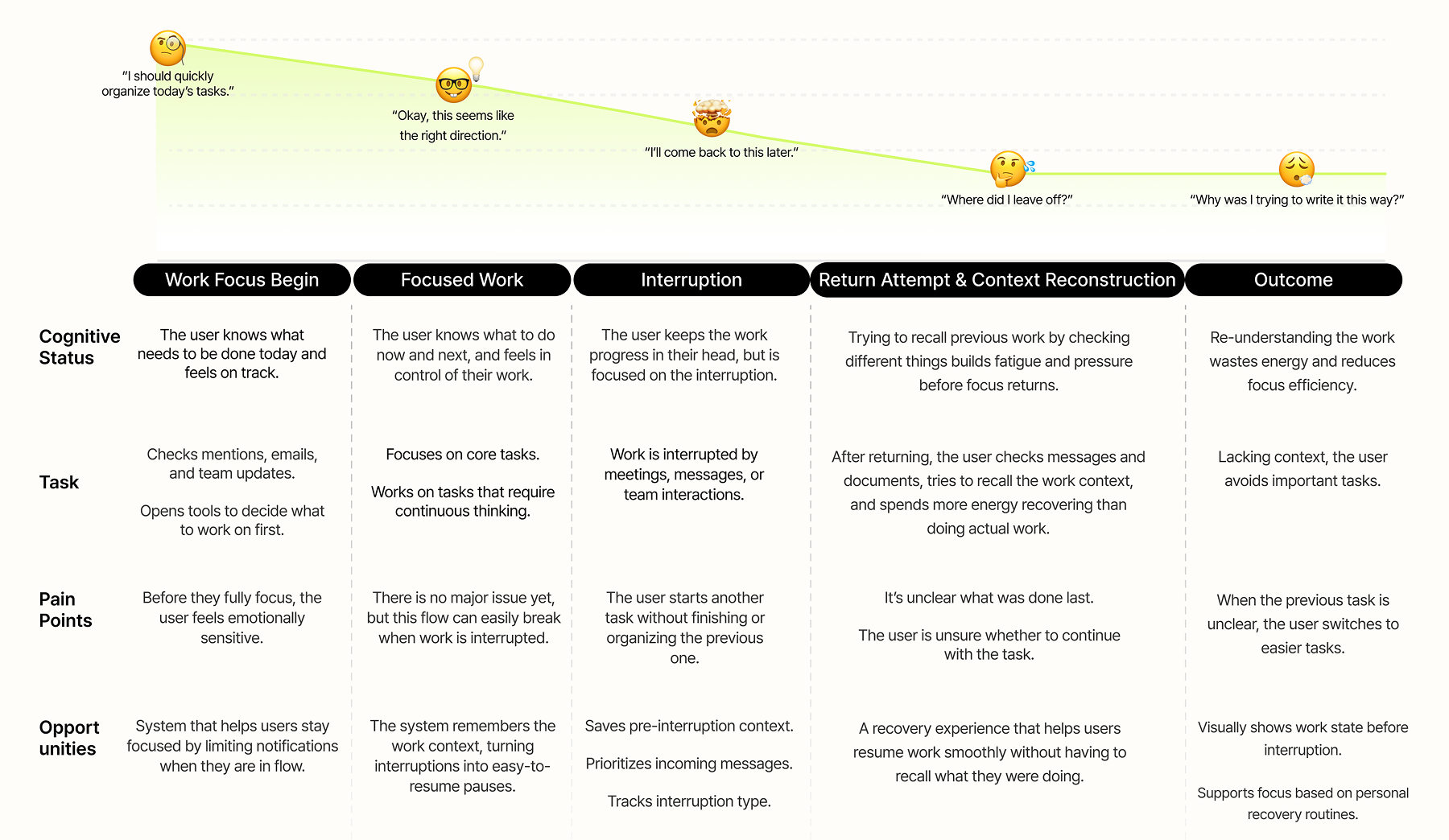
Based on common patterns from the interviews, I defined one primary persona and mapped their workflow to understand where the burden became most visible, with a  focus on the moment of return, when users need to recover context and decide what to do next.
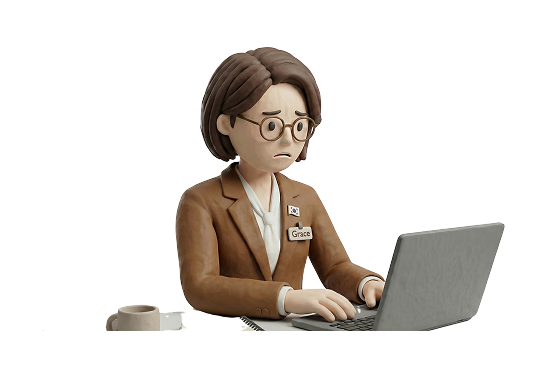
Grace
(32)
| Senior Product Manager
What’s Persona Story?
Grace starts her day by reviewing email, Slack, and her calendar. She values quick responses, but after back-to-back meetings, she often feels rushed and needs time to recall where she left off.
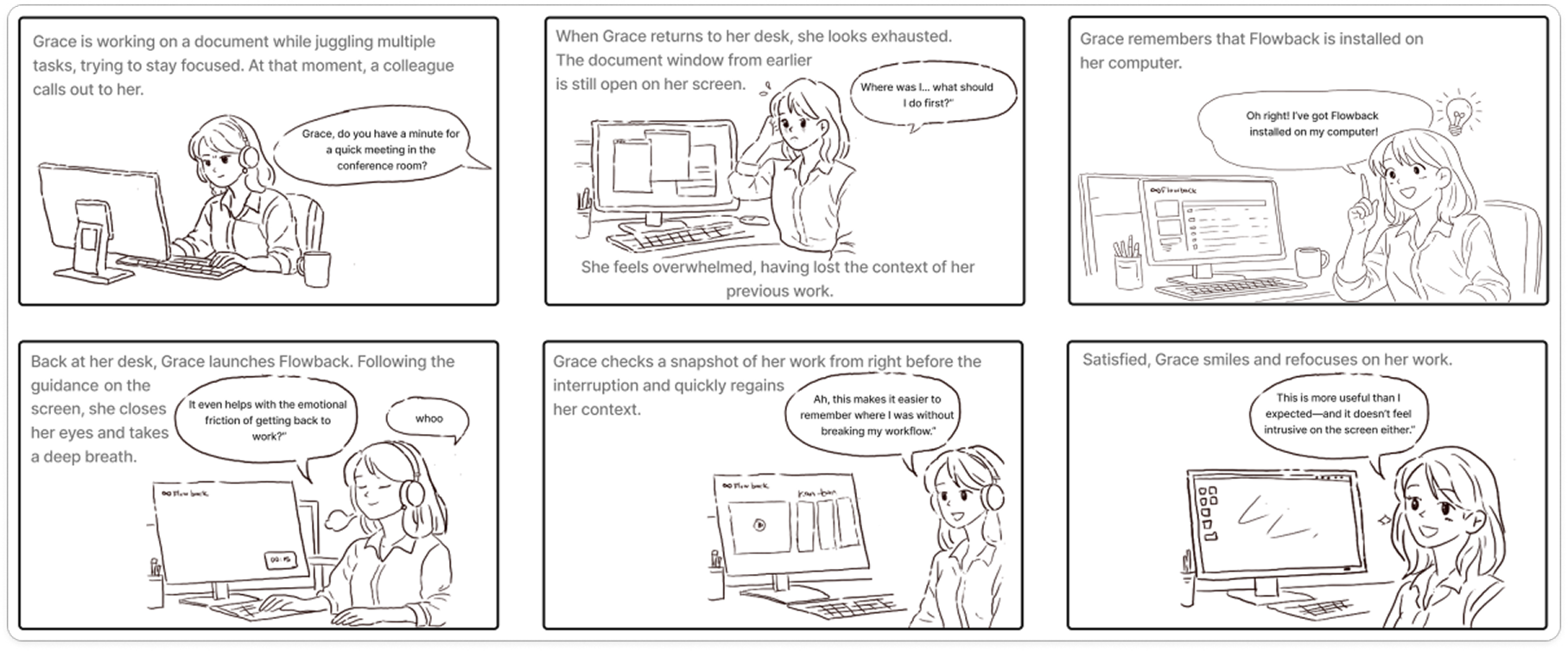
STORYBOARD
Visualising the Return to Work Experience
This storyboard shows how users feel after an interruption and how FLOWBACK improves the return to work experience. It helps explain the product’s value in a real work context.
HOW MIGHT WE
How might we help users quickly recover context and resume work after interruptions?
SKETCH SOLUTION & TECHNICAL VALIDATION
From Design Question to Product Direction
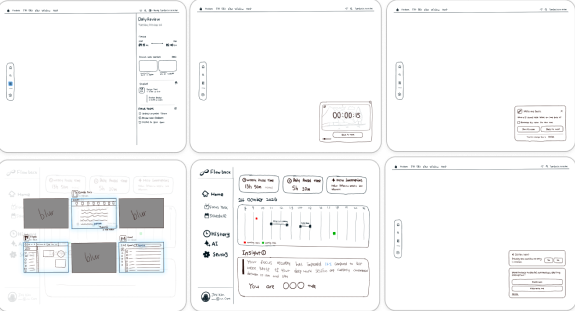
I sketched solution ideas, narrowed them through the DVF framework, and checked whether they could work technically.
Sketch Solution
Technical Validations
How the Direction Was Defined
01.
Design Principle
Designed to quietly support users’ return to work without directing or monitoring them.
02.
Key priorities in the *DVF framework
I prioritised lightweight, realistic support directions that could reduce lost context, next-step uncertainty, and urgency.
* Desirability•Viability•Feasibility Framework
03.
Defined two core features
To support context recovery and smoother restart, I selected work snapshots and resume-point highlights.
USER FLOW & ALGORITHM
How FLOWBACK Responds to Interruption
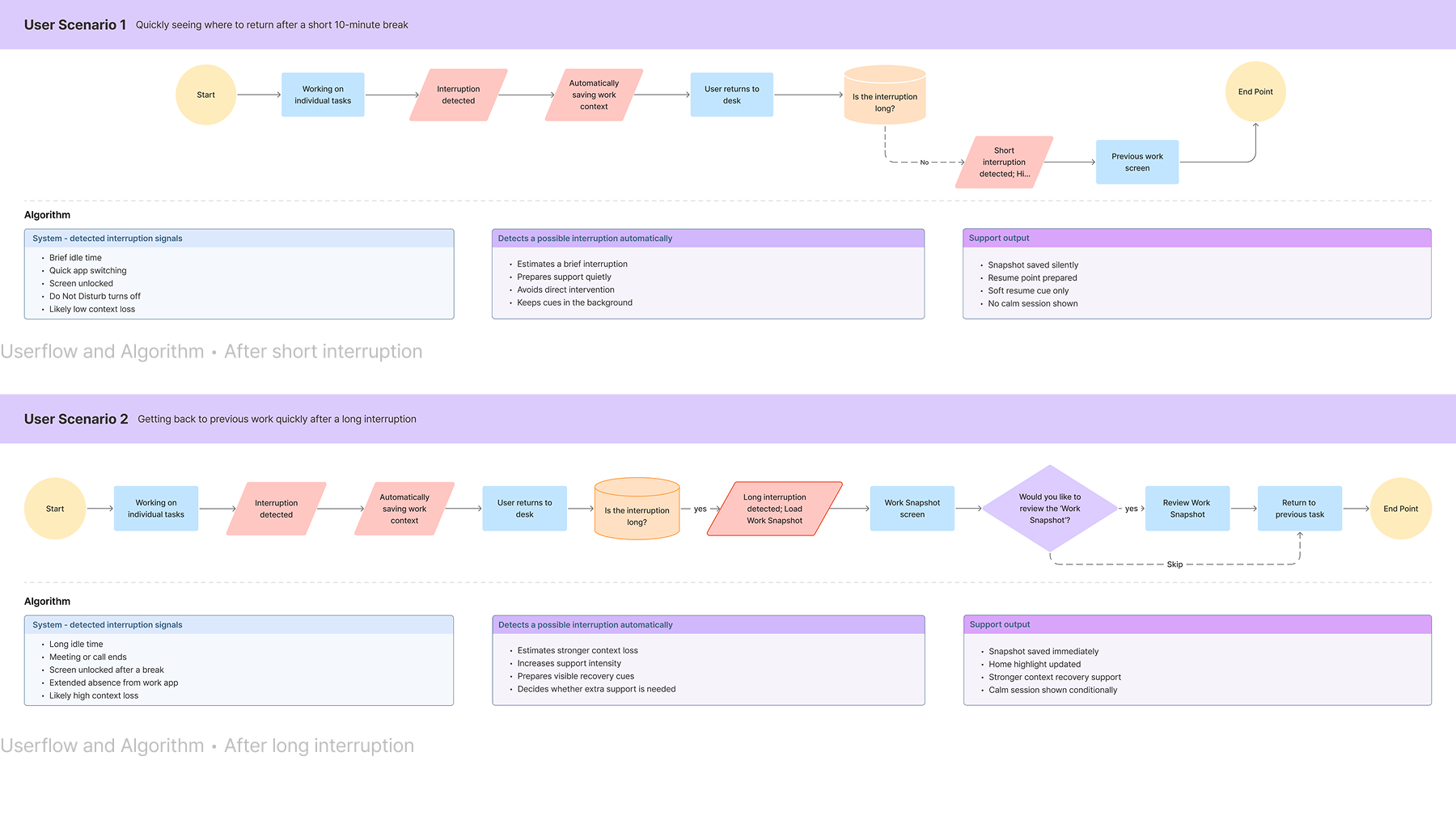
To make the return-to-work experience more concrete after an interruption, I designed the user flow and algorithm structure together. This structure provides different levels of support based on interruption length, helping users recover work context and resume work more naturally.
How the Direction Was Defined
01.
Support changes depending on interruption length.

Short interruptions receive lighter support, while long interruptions receive stronger context recovery support.
02.
Support Only When Needed
Support becomes clearer only when needed, and users can always return to work directly without it.
03.
The goal is a smoother return, not another interruption.
Support is designed to help users recover context and reduce hesitation without adding extra pressure.
USABILITY TESTING & FINDINGS
Can Flowback help users get back to work faster after interruptions?
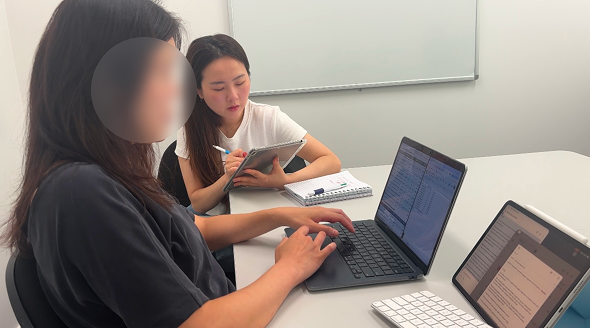
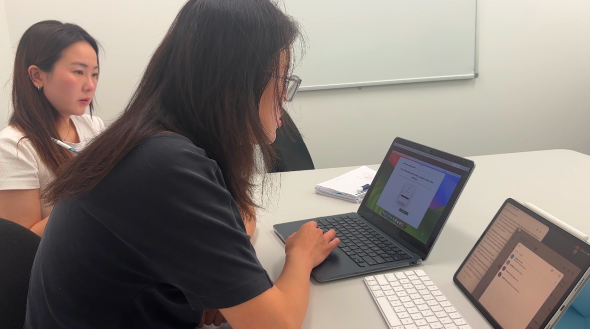
Validated Flowback through a high-cognitive load experiment, measuring context recovery efficiency after a set time delay to simulate real-world multitasking environments.
How the test were assigned
1
Baseline Focus Task
Establishing high cognitive load through complex data processing.
2
Controlled Interruption
Inducing context loss via a set time delay and secondary distractors.
3
Recovery Validation
Evaluated context restoration efficiency by comparing Unassisted Baseline vs. Flowback-Assisted recovery.
Participant 3: Inducing high cognitive load (Baseline test without Flowback)
Participant 3: Testing recovery flow with Flowback assistance
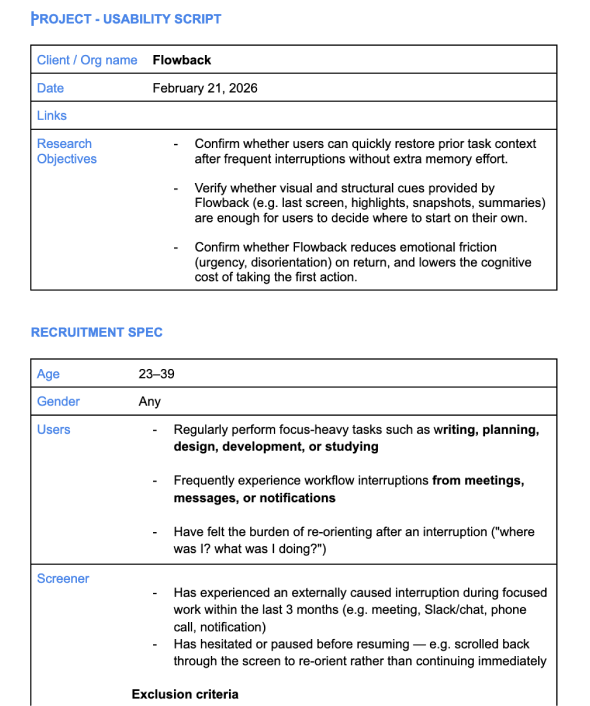
Usability Script
Assumption Validation
01.
Visual context became the strongest cue for restarting work
Testing showed that users did not need Flowback to tell them what to do next. They needed clear visual cues that helped them recognise where they left off and restart on their own.
02.
Emotional support became friction in a busy re-entry moment
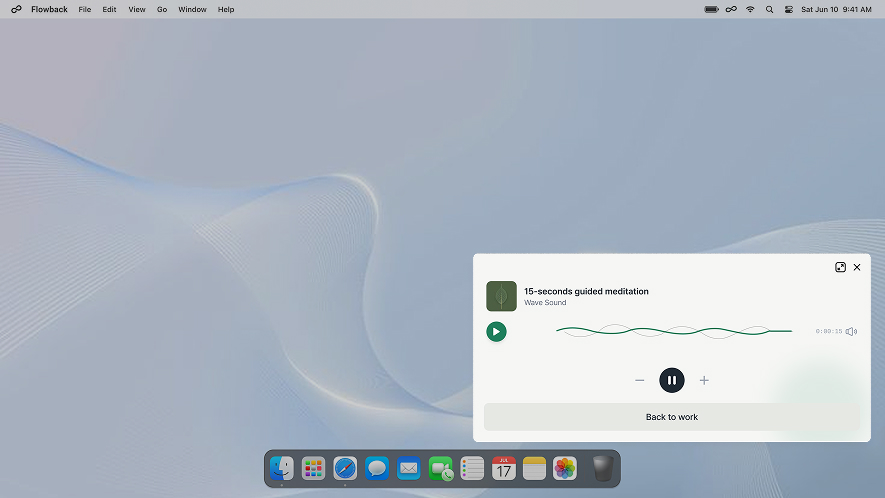
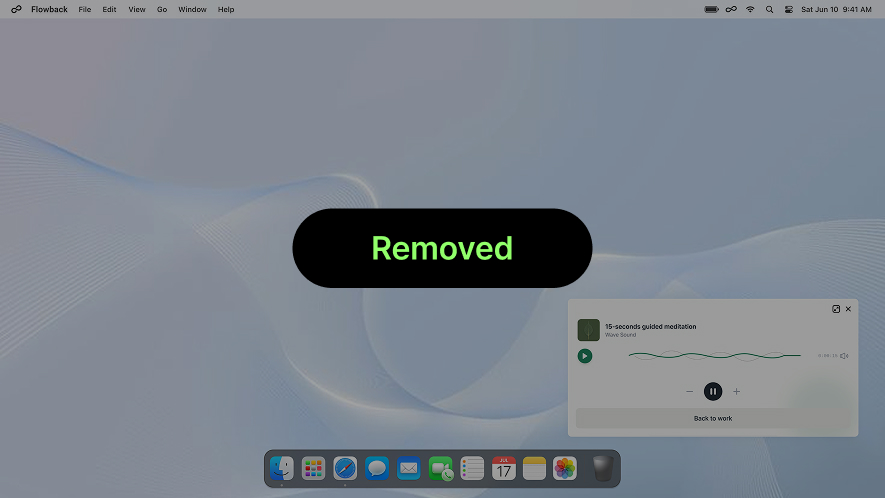
Calm Breathing was meant to reduce cognitive pressure, but 2 out of 3 users felt it slowed them down. We removed it and focused on faster recovery cues.
03.
Recovery data worked better when it was focused, not crowded
The prototype scored 81/100 on SUS, showing strong overall usability, but the dashboard still needed refinement. Tables with multiple recovery metrics confused users, so we redesigned them as single-metric graphs.
DESIGN ITERATION
Improving Recovery Through Testing
Usability testing showed which features supported task recovery and which added unnecessary effort. Based on these findings, I kept effective visual cues, removed slower interactions, and simplified the dashboard for faster understanding.
AS-IS
- Multiple graphs made the dashboard harder to scan quickly. - Users had to compare different metrics to understand their work pattern. - Interruption data was not easy to read at a glance.
TO-BE
- Simplified the dashboard into one clear focus pattern view. - Used intuitive colours to show focus time more clearly. - Added hover details so users can check how many minutes they were interrupted.
AS-IS
- Added a short breathing feature based on interview insights about taking mental breaks.
- The feature aimed to help users reset before returning to work. However, users felt it was unnecessary in a real work context.
TO-BE
- Removed Calm Breathing to reduce extra steps before task recovery.
- Prioritised features users were more likely to use during actual work.
AS-IS
- “What to do next” suggestions felt unclear and hard to trust.
- Extra guidance added more steps during task recovery.
- Users wanted to return quickly, not evaluate recommendations.
TO-BE
- Introduced a small widget first, so recovery support would not interrupt users.
- Removed low-trust “What to do next” prompts from Video Recall.
- Kept the flow focused on quick memory cues and fast re-entry./
Takeaway & Reflection
Why 'Work Resumption' Matters?
Shifting Focus from Task Management to High-Impact Work Resumption
While most tools focus on tasks, I focused on the hidden cost of re-entry after interruptions. For users, it reduces the mental stress of restarting work. For companies, it improves productivity and creates business value.
NEXT STEP
Measuring Sustained Productivity in Real World Work Settings
Beyond controlled experiments, I aim to validate Flowback in real-world professional environments over extended periods. My goal is to measure how much deep-work time is actually recovered and how these improvements translate into long-term operational efficiency for teams.
What Did Users Truly Need for Recovery?
The Best Support Was Faster Re-Entry, Not More Guidance, Removing Friction Helped Users Restart Their Work
I learned that decisively removing features that clash with user mental models is the most effective way to enhance a product's core value.
EXPLORE MORE WORK